What Is Budgeting in IT Asset Management?
Learn what budgeting means in IT asset management, including costs, forecasting steps, lifecycle planning, and how teams plan asset spend effectively.
What Is Budgeting?
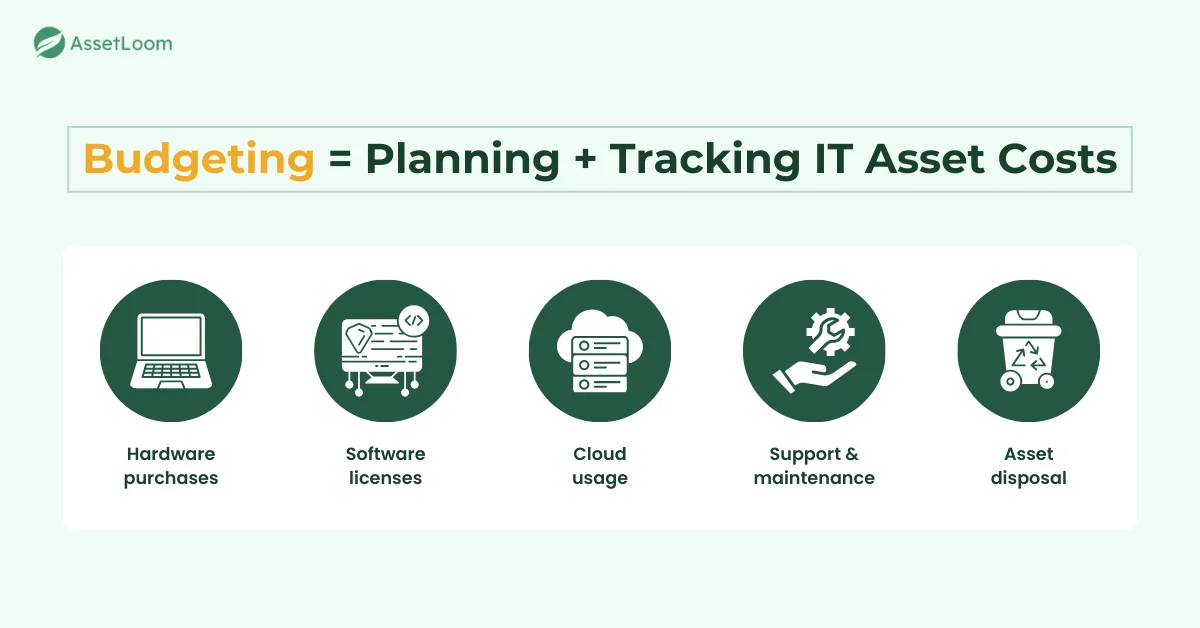
Budgeting is the process of planning and tracking the money needed to manage IT assets. It gives teams a clear view of how much they will spend on buying, using, maintaining, and replacing hardware, software, and cloud services.
In IT Asset Management (ITAM), budgeting helps organize costs across the full asset lifecycle. It reduces surprise expenses and helps prepare for renewals, refresh cycles, and new equipment needs. It also makes it easier to compare planned spending with actual spending throughout the year.
Budgeting typically includes costs for device purchases, software licenses, support contracts, cloud usage, and end-of-life disposal. It also involves forecasting future needs, such as new hire devices or project-based equipment.
This process helps teams control asset costs and keep spending aligned with business needs.
Key Components of ITAM Budgeting
Budgeting in IT asset management involves several cost areas that show how much it takes to buy, support, and retire IT assets. Understanding these components helps teams predict future spending and avoid unexpected financial issues.
- Asset Acquisition Costs: Costs for buying new hardware, software, and subscriptions, such as laptops, servers, monitors, and licenses. These costs help teams plan for upcoming purchases.
- Operating Costs: Ongoing expenses like maintenance contracts, support plans, warranty extensions, cloud usage, and SaaS renewals. These costs keep assets running throughout their lifecycle.
- Depreciation and Lifecycle Costs: Costs related to asset value decreasing over time, including refresh cycles and scheduled replacements. These costs help teams plan upgrades before devices fail.
- Asset Disposal Costs: Expenses for retiring old assets, such as data wiping, recycling fees, and e-waste processing. These costs ensure devices are removed safely and responsibly.
- Unexpected Costs: Hard-to-predict expenses like lost devices, sudden hardware failures, emergency replacements, or surprise license true-ups. These costs help teams prepare for unplanned situations.
These components work together to give a full picture of asset spending. They help IT and finance teams plan budgets that are accurate, realistic, and aligned with business needs.
Types of Budgets Used in ITAM
Different budgeting models help IT teams plan and manage asset costs in a clear and organized way. Each model supports a different type of spending and makes it easier to track where money is going.
Capital Expenditure (CapEx)
CapEx is used for big, long-term purchases. This includes servers, switches, firewalls, storage systems, and large batches of laptops. These assets last for several years, so companies plan these costs early and review them carefully. CapEx is useful when the organization wants to own the equipment and keep full control over how it is used.
Operational Expenditure (OpEx)
OpEx covers ongoing monthly or yearly costs. This includes SaaS subscriptions, cloud services, endpoint security, and Mobile Device Management (MDM) tools. It also includes hardware leasing programs. OpEx budgets are flexible because costs can grow or shrink based on current needs. Many companies prefer this model as more tools move to subscription-based pricing.
Project-Based Budgets
Project-based budgets support short-term or one-time efforts. This could be setting up a new office, onboarding a large group of employees, running a temporary project, or upgrading infrastructure. These budgets stay separate from everyday operations, making it easy to track what each project costs and avoid overspending.
Department-Level Budgets
Department-level budgets assign IT costs to specific teams such as HR, Sales, Finance, or Engineering. This includes devices, software licenses, and apps used by each department. Some organizations use chargeback or showback models to give teams visibility into their IT spending. This helps departments understand what they consume and make smarter decisions.
These budgeting models make it easier to organize spending and decide which costs belong in each category. With the budget types clear, the next step is understanding how the budgeting process actually works.
The ITAM Budgeting Process
A structured budgeting process helps IT teams plan future costs, avoid surprise spending, and support accurate financial planning. Each step builds on reliable asset data, making the budget more realistic and easier to manage throughout the year.
1. Identify Current Assets and Costs
The process begins with reviewing your existing asset inventory. Teams check what devices and software are active, which users own them, and how much each item costs today. This step often reveals issues like missing purchase dates, unknown devices, or outdated cost entries. Cleaning this data early makes the rest of the budget more accurate.
2. Analyze Lifecycle Data
Lifecycle data shows the age and condition of each asset. Teams look at purchase dates, warranty end dates, and expected end-of-life timing. This helps identify which laptops are due for replacement, which servers require upgrades, and which licenses need renewal soon. It reduces last-minute purchases and keeps refresh cycles predictable.
3. Estimate Future Needs
Next, teams estimate what assets will be needed in the upcoming period. This includes new hire laptops, additional software seats, storage expansion, or new projects requiring equipment. A simple headcount plan or project roadmap can improve forecast accuracy and prevent running out of devices mid-year.
4. Forecast Costs
Cost forecasting brings all the information together. Teams calculate the expected spending for hardware refreshes, license renewals, warranty extensions, cloud usage, and vendor price changes. They may also add a buffer for potential risks like device loss or unexpected license true-ups. This creates a realistic cost projection for the next budget cycle.
5. Approve and Allocate Budget
After forecasting, IT and finance review the numbers. They decide which purchases are essential, which can be delayed, and how much money to assign to each area. Budgets are then allocated to categories like hardware, software, cloud services, support contracts, and department-specific needs.
6. Track Spending
Once the budget is approved, teams monitor spending in real time or through monthly reports. This includes comparing actual spending to planned amounts and watching for unusual spikes. Regular tracking helps catch overspending early and gives teams the chance to adjust before problems grow.
7. Review and Adjust
Budgets are revisited throughout the year to reflect changes. This may include new projects, unexpected hardware failures, vendor contract increases, or staff growth. Updating the budget regularly keeps spending aligned with business needs and prevents year-end surprises.
A clear budgeting process builds stability and makes IT asset planning easier to manage. The next section covers the tools and techniques that support this process.
Tools and Techniques That Support ITAM Budgeting
The right tools and methods make budgeting more accurate and easier to maintain. They help teams monitor assets, track spending, and plan future costs with confidence.
- IT Asset Management Software: Centralizes asset data for hardware, software, and cloud services. It tracks lifecycle stages, warranties, depreciation, and upcoming renewals. Real-time data makes forecasting easier and reduces the risk of incorrect budgets.
- Cost Allocation Models: Help organizations assign asset costs to specific departments. Chargeback and showback models improve cost visibility and help teams understand their actual usage. This leads to more responsible spending and smarter decision-making.
- Reporting and Dashboards: Provides insights into asset age, renewal timelines, budget vs. actual spending, and usage trends. Dashboards make it easy to spot unusual cost spikes or areas that need attention. This improves financial control throughout the year.
- Integrations: Syncs ITAM data with ERP or finance systems. This keeps cost centers, purchase data, invoices, and asset records consistent across tools. Integrations reduce manual updates and give teams a more accurate picture of their budget.
These tools and techniques give IT and finance teams the visibility they need to build reliable budgets and adjust plans as the environment changes. The next section looks at common challenges teams face during the budgeting process.
Common Challenges in ITAM Budgeting
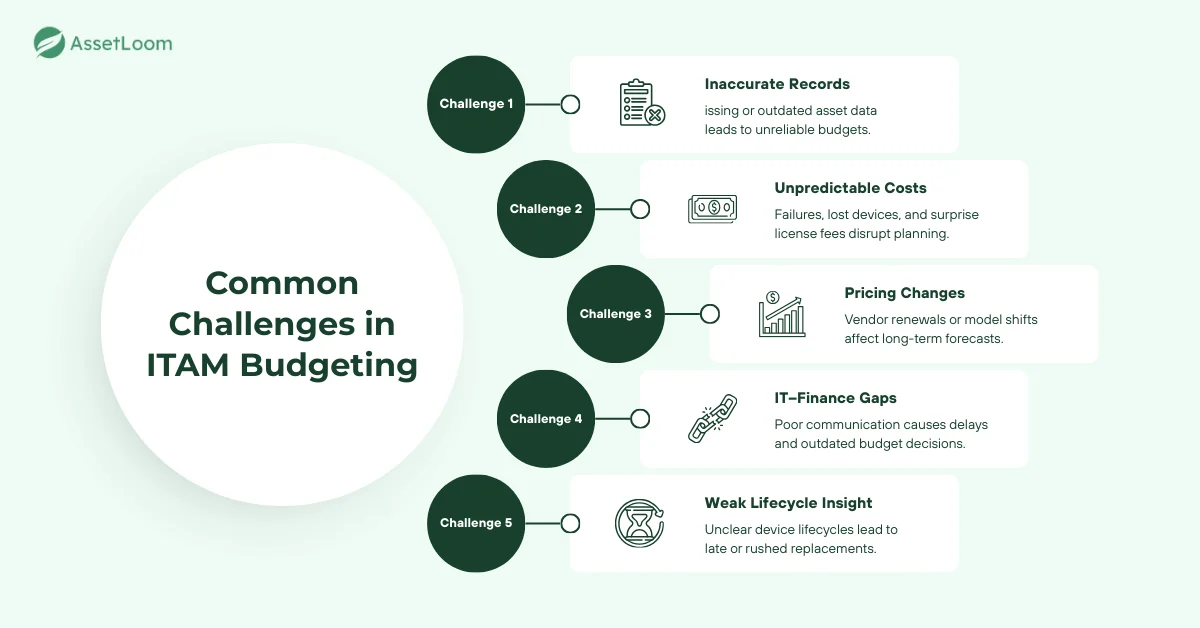
Budgeting for IT assets can be difficult, especially when data is incomplete or spending changes throughout the year. Understanding these challenges helps teams prepare better and avoid unexpected costs.
- Inaccurate Asset Records: Missing purchase dates, incorrect user assignments, and outdated cost information lead to unreliable budgets. Poor inventory data makes it hard to estimate refresh cycles or forecast spending correctly.
- Unpredictable Costs: Sudden hardware failures, lost devices, emergency purchases, or surprise license true-ups can disrupt planned budgets. These unexpected costs often occur when teams lack visibility into asset health or license usage.
- Vendor Pricing Changes: Renewals may increase without warning, and pricing models can shift from fixed licenses to usage-based fees. These changes impact long-term planning and require frequent updates to the budget.
- Poor IT–Finance Communication: When IT and finance teams are not aligned, budgets may be delayed, underfunded, or based on outdated information. Miscommunication can cause unnecessary approvals or missed renewal deadlines.
- Lack of Lifecycle Insights: Without clear lifecycle data, teams may keep old devices too long or replace them too late. This increases repair costs, reduces performance, and leads to more emergency spending.
Recognizing these challenges helps teams build stronger, more realistic budgets. The final section covers the most common questions about budgeting in IT asset management.
Glossary of Related Terms
Frequently Asked Questions (FAQ)
Is budgeting part of ITAM or finance?
Both teams play a role. ITAM provides accurate asset data and cost forecasts, while finance reviews, approves, and allocates the budget.
How often should ITAM budgets be updated?
Budgets are usually reviewed quarterly, but spending should be monitored monthly to catch issues early.
What causes unexpected asset costs?
Common sources include lost devices, hardware failures, emergency replacements, surprise license true-ups, and sudden increases in cloud usage.
How does budgeting help reduce overspending?
It creates a clear plan for refresh cycles, renewals, and upcoming needs. With better visibility, teams avoid last-minute buying and keep spending aligned with priorities.
Do small teams need an ITAM budget?
Yes. Even small organizations benefit from tracking costs and planning for renewals or replacements. A simple budget helps prevent surprise expenses.
What tools help with ITAM budgeting?
ITAM software, ERP systems, cost dashboards, renewal calendars, and integrations that sync purchasing data all support better budgeting.
Why is depreciation important in ITAM budgeting?
Depreciation shows how assets lose value over time. It helps teams schedule replacements, spread costs across multiple years, and avoid unexpected refreshes.