9 Key Compliance Areas For IT Managers
Learn the main compliance requirements in ITAM, what IT managers need to do for each one, laws and standards that affect software, devices.
What is Compliance When Managing IT Assets?
Compliance in IT asset management (ITAM) means following the rules that apply to your hardware, software, data, and vendors. These rules come from laws, industry standards, and licensing agreements. They help protect the company from legal issues, security breaches, and financial mistakes. IT managers handle compliance every day through tasks like installing software correctly, securing devices, recording assets properly, and disposing of equipment safely.
Below are key compliance areas that an IT manager must understand when it comes to managing IT assets.
| Compliance Type | What It Covers | What IT Managers Do | Key Regulations |
|---|---|---|---|
| Software License Compliance | Rules for how software is installed and used | Track usage, keep purchase records, monitor renewals | Microsoft Licensing, Adobe Terms, Oracle Licensing, ISO 19770 |
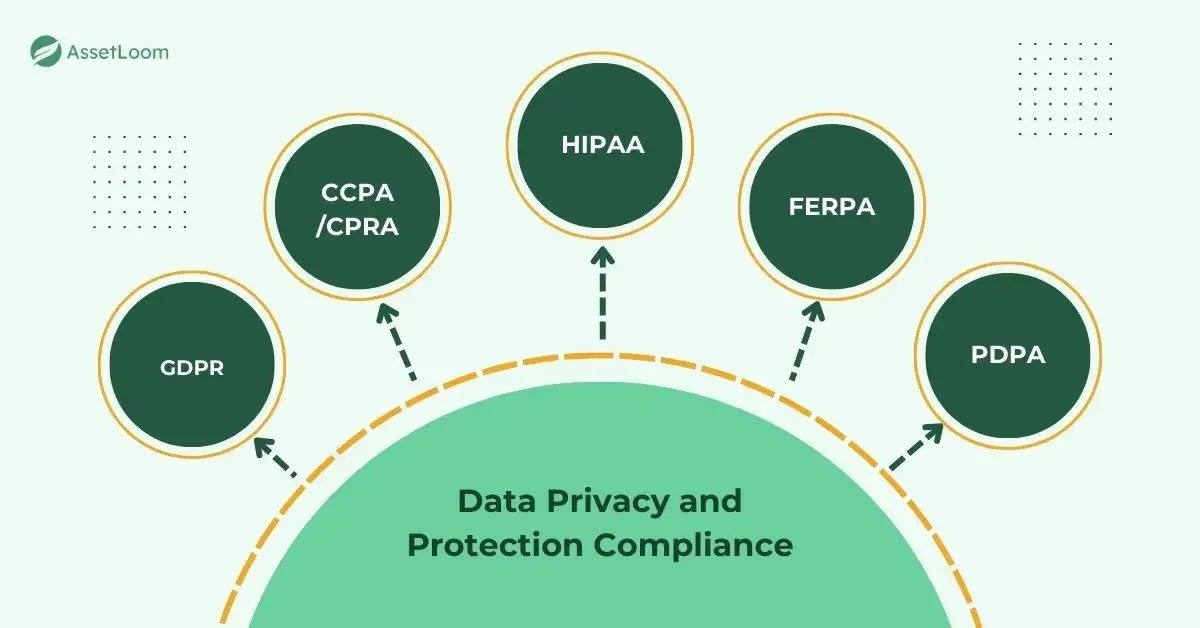
| Data Privacy & Protection | How personal or sensitive data is stored and shared | Encrypt devices, manage access, wipe old data | GDPR, CCPA/CPRA, HIPAA, PDPA |
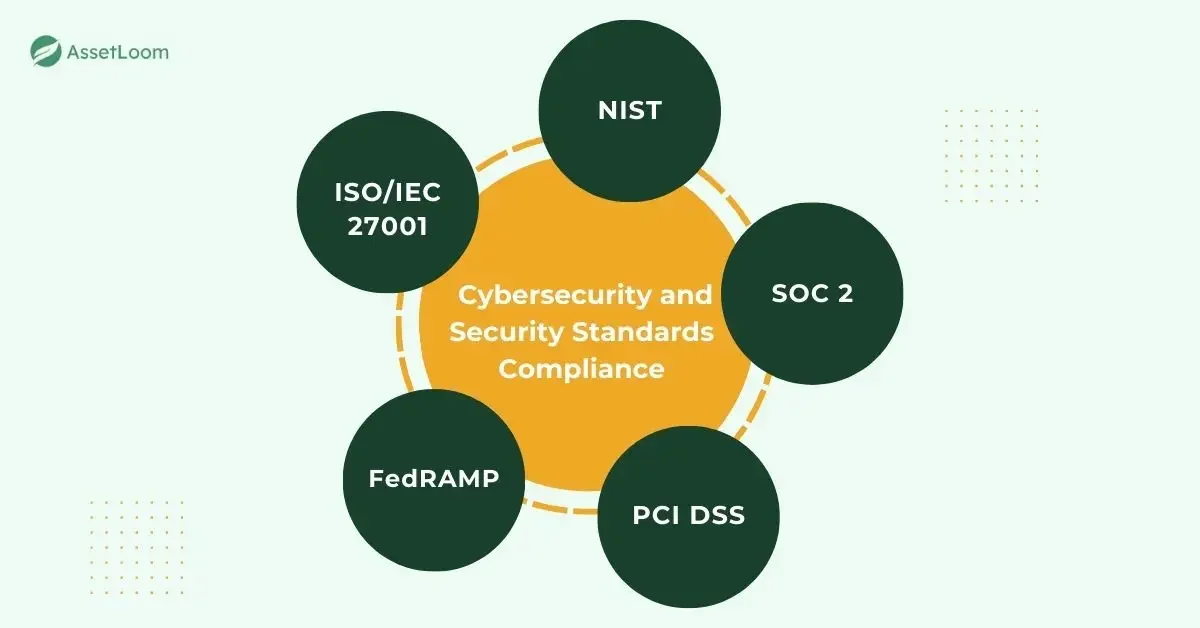
| Cybersecurity Compliance | Security requirements that protect IT assets | Patch devices, enforce MFA, monitor logs | ISO 27001, NIST CSF, CIS Controls, PCI DSS |
| Hardware & Safety Compliance | Safety and certification rules for physical devices | Track warranties, check safety labels, replace unsafe devices | CE Marking, FCC, UL/CSA, RoHS, WEEE |
| Financial & Accounting Compliance | Rules for reporting and valuing IT assets | Record purchases, track depreciation, support audits | GAAP, IFRS, SOX, MACRS |
| BYOD & Access Compliance | Rules for personal devices accessing company systems | Register devices, enforce MDM rules, block non-compliant devices | NIST SP 800-124, GDPR privacy rules, BYOD policies |
| Cloud & SaaS Compliance | Security and legal standards for cloud services | Check vendor certifications, control access, monitor activity | SOC 2, ISO 27017, ISO 27018, CSA STAR |
| Disposal & End-of-Life Compliance | Secure wiping and recycling of IT equipment | Destroy data, use certified recyclers, keep disposal records | WEEE, RoHS, R2, e-Stewards, EPA |
| Procurement & Vendor Compliance | Legally safe and ethical sourcing of IT products | Verify certifications, review contracts, assess vendor risk | ISO 20400, ITAR/EAR, Modern Slavery Act |
1. Software License Compliance
Software license compliance covers how software is installed and used inside the company. As an IT manager, you need to track how many copies you install and make sure the company is not using more than it paid for. You also keep purchase records, because vendors may ask for proof during audits. It helps to watch renewal dates so software does not suddenly stop working. These steps avoid penalties, forced purchases, and audit problems.
Relevant regulations and standards
- Microsoft Licensing Policies: Rules for Windows, Office, and server products.
- Adobe Licensing Terms: Limits for installations and subscriptions.
- Oracle Licensing Policies: Strict rules for databases and virtual setups.
- VMware Licensing Guidelines: Explains host and cluster licensing.
- ISO/IEC 19770-1: Software asset management guidance.
- ISO/IEC 19770-2: Standard tags for software identification.
- BSA Licensing Enforcement: Checks for unlicensed software use.
2. Data Privacy and Protection Compliance
Data privacy and protection compliance sets the rules for how personal or sensitive data is collected, stored, shared, and removed. As an IT manager, encryption should be enabled on laptops and mobile devices to protect information if they are lost or stolen. Access controls also need to be set so only the right people can view certain data. Activity logs help you track who accessed what and when. It is important to follow data retention rules, and when devices reach end-of-life, wipe the data properly before disposal. All of these actions reduce the chance of data leaks and help the company meet privacy requirements.
Relevant regulations and standards
- GDPR: Strict data protection rules for the EU.
- CCPA/CPRA: Privacy rights for California residents.
- HIPAA: Protects medical information.
- FERPA: Protects student records.
- LGPD: Data rules in Brazil.
- PIPEDA: Privacy rules for Canadian businesses.
- PDPA: Data laws in Singapore, Malaysia, and Thailand.
3. Cybersecurity and Security Standards Compliance
Cybersecurity compliance focuses on how IT assets are secured. As an IT manager, you install updates, enforce strong passwords, and turn on multi-factor authentication. You use antivirus or endpoint protection and make sure devices are encrypted. You monitor logs and look for unusual activity. These steps reduce the chance of attacks and help the company meet required security standards.
Relevant regulations and standards
- ISO/IEC 27001: Global security control standard.
- NIST Cybersecurity Framework: Guidance for managing security risks.
- CIS Critical Security Controls: Key actions to secure IT systems.
- CIS Benchmarks: Hardening guides for operating systems.
- SOC 2: Evaluates cloud and SaaS security.
- PCI DSS: Required for handling payment card data.
- FedRAMP: Security rules for cloud tools used by US government agencies.
4. Hardware, Warranty, and Safety Compliance
This compliance area covers the safety and certification requirements for physical IT devices. As an IT manager, you track warranty dates so repairs and replacements happen on time. You check that devices meet local safety standards before they are used. You remove recalled or unsafe equipment, and you replace devices that are no longer supported. These actions prevent safety problems and help keep hardware reliable.
Relevant regulations and standards
- CE Marking: Confirms devices meet EU safety rules.
- FCC Certification: Ensures devices follow US emission limits.
- UL/CSA Standards: Electrical and product safety requirements.
- ENERGY STAR: Identifies energy-efficient devices.
- RoHS: Limits hazardous materials in electronics.
- WEEE: Rules for collecting and recycling old electronics.
5. Financial and Accounting Compliance
Financial compliance defines how IT assets are recorded and reported. As an IT manager, you record asset purchases, assign owners, and keep location details updated. You track depreciation so finance teams have accurate numbers. You keep a history of changes to support audits. These tasks help prevent reporting errors, tax issues, and audit failures.
Relevant regulations and standards
- GAAP: Accounting rules used in many regions.
- IFRS: Global standards for financial reporting.
- Sarbanes–Oxley (SOX): Requires strong audit records.
- MACRS: US depreciation rules for tax reporting.
- Internal asset policies: Company rules for tracking and reporting.
6. BYOD and Access Compliance
BYOD and access compliance sets rules for personal devices connecting to company data. As an IT manager, you first register personal devices before allowing them on the network. Basic protections such as passwords, screen locks, and encryption should be in place. MDM or EMM tools help enforce these settings and keep devices aligned with company policies. Devices that fail to meet the requirements should be blocked from connecting. This approach keeps unknown or unsafe devices away from company data.
Relevant regulations and standards
- NIST SP 800-124: Guidelines for mobile device security.
- GDPR device privacy rules: Defines what employers may monitor.
- BYOD policies: Internal rules for personal device use.
- MDM/EMM controls: Tools that enforce compliance.
7. Cloud and SaaS Compliance
Cloud compliance covers the rules cloud services must follow to stay secure. As an IT manager, you check whether cloud vendors hold the right certifications. You confirm where the data is stored and if the location meets legal requirements. You turn on logging and watch for unusual activity. You set access controls so people only see what they need. These steps reduce data exposure and help meet legal standards for cloud systems.
Relevant regulations and standards
- SOC 2: Reviews the security of cloud vendors.
- ISO 27017: Security guidelines for cloud operations.
- ISO 27018: Protects personal data in public clouds.
- CSA STAR: Security certification for cloud services.
- Data residency laws: Rules on where data can be stored.
8. Disposal and End-of-Life Compliance
Disposal compliance covers the wiping, recycling, or destruction of old IT equipment. Before anything leaves the company, make sure the data is securely erased or the drive is destroyed. Certified e-waste vendors should handle the physical disposal. Keep the disposal records organized so they are available during audits. Hazardous materials also need special attention, so follow the local rules for handling them. These steps protect sensitive information and ensure disposal practices stay compliant.
Relevant regulations and standards
- WEEE: EU rules for collecting and recycling electronic waste.
- RoHS: Limits toxic materials in electronics.
- R2 Standard: Requirements for responsible recycling.
- e-Stewards: Strict rules for safe and ethical e-waste processing.
- EPA guidelines: US rules for electronic waste handling.
- India E-Waste Rules: Requires certified recyclers and reporting.
- Singapore Resource Sustainability Act: Mandatory take-back rules.
- Australia NTCRS: Recycling scheme for ICT equipment.
- Japan HARL: Recycling rules and fees for electronics.
9. Procurement and Vendor Compliance
Procurement compliance ensures the IT equipment and services you buy meet legal and safety rules. As an IT manager, you review vendor certifications. You check contracts and supply chain details. You watch for counterfeit or unsafe hardware. You verify that vendors follow environmental or ethical standards where required. These steps help avoid risky suppliers and keep equipment compliant.
Relevant regulations and standards
- ISO 20400: Guidance for responsible and sustainable purchasing.
- ITAR / EAR: US export rules for restricted hardware.
- Modern Slavery Act: Requires transparency in supply chains.
- RoHS: Material safety requirements for devices.
- Vendor due diligence checks: Helps assess vendor risk.
- Anti-counterfeit rules: Protect against fake or unsafe hardware.
Conclusion
Compliance is a major part of IT asset management, even when it does not feel like it. Every time you install software, track a laptop, delete old data, or choose a vendor, you are following rules that keep the organization safe. When these rules are ignored, it can lead to data leaks, legal trouble, or extra costs. When they are handled well, assets stay secure, records stay accurate, and audits go smoothly.
IT managers do not need to memorize every law, but understanding the main areas helps you avoid problems and run IT operations with confidence.
10 Frequently Asked Questions (FAQs)
1. How do I know which compliance rules apply to my organization?
Start by checking three things: where your company operates, what kind of data you handle, and the tools or vendors you use. For example, if you work with customer data in the EU, GDPR applies. If you process payments, PCI DSS applies. If you use Oracle or Microsoft software, their license rules apply. Make a simple list of your regions, industries, and tools, then match them with the relevant laws.
2. What are the most common compliance mistakes IT managers make?
The most common issues include forgetting software renewals, missing patches, not wiping data before disposal, ignoring BYOD devices, and storing assets in outdated spreadsheets. These mistakes often lead to audit failures, data leaks, or surprise license fees. The best fix is using tools that track assets automatically and keeping a simple checklist.
3. How often should IT compliance checks be performed?
A good starting point is quarterly checks. Some tasks, like patching or checking antivirus status, should be done weekly. Disposal records and vendor documents can be reviewed yearly. The more assets you have, the more often you may need to check. Regular reviews prevent small issues from turning into expensive problems.
4. What should I do if my software license count does not match actual usage?
First, check if the extra installations are still in use. Sometimes old devices were not removed from the system. If the numbers still do not match, remove unneeded installations or buy the missing licenses. Vendors can audit at any time, so it’s safer to fix gaps quickly.
5. How should I handle data stored on old or broken devices?
Treat every device like it contains sensitive information. Wipe the drive using secure erase tools, or destroy the drive if it no longer works. Keep a record of the wipe or destruction. This step matters because even a small leftover file can lead to a data leak.
6. What if a device does not meet security standards like patching or encryption?
Remove it from the network until it is fixed. Unpatched or unencrypted devices are easy targets for attackers. Update the system, turn on encryption, and check security tools before putting it back online. Simple steps like this prevent many common security incidents.
7. How can I check if a cloud vendor is safe to use?
Look for certifications like SOC 2 or ISO 27017. Ask where the data is stored and who can access it. Check if they support basic controls like MFA and activity logs. Vendors that avoid these questions are red flags. A short review now avoids bigger problems later.
8. What is the right way to manage personal devices (BYOD)?
Start by requiring registration for any personal device that connects to company systems. Apply simple rules like using a passcode, keeping the device updated, and installing a management profile if needed. If a device does not follow the rules, block it from connecting. BYOD works well when the rules are clear and easy to follow.
9. How do I prepare for an audit related to IT assets?
Keep your records organized. You should have: purchase documents, license files, asset lists, disposal certificates, and change history. Store them in one place. When auditors come, they mainly check if your records match reality. When your data is clean, audits become quick and painless.
10. What tools or systems make ITAM compliance easier?
Look for tools that automate asset tracking, manage software licenses, monitor security status, and keep disposal records. Tools help you avoid manual errors and keep everything in one system. Even simple automation can save hours of work and greatly reduce compliance risks.